Targeting of Report
Published on
Overview
The Targeting subsection of the Report Manager allows you to pre-configure report parameters with required and optional settings before generating a PDF.
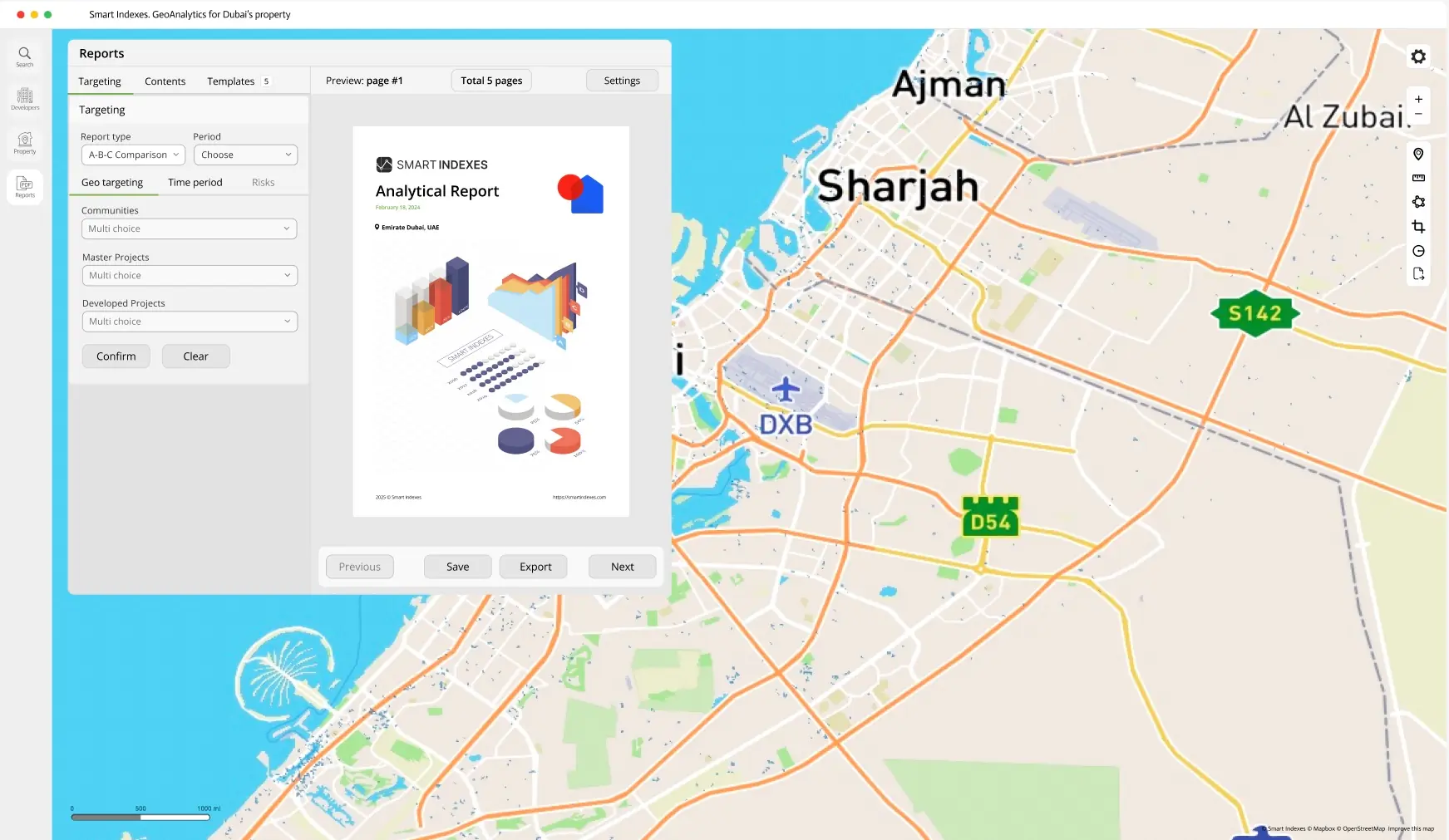 Overview of Targeting in Report Manager
Required Settings
-
Report Type
Choose from select:
- Periodical
- A-B-C Comparison
- Risk-Management
-
Period
Define the analysis timeframe.
-
Geo Targeting
-
Communities:
Multi-select + search
-
Master Projects:
Multi-select + search
-
Developed Projects:
Multi-select + search
-
-
Time Period:
-
Year:
Year range or most recently completed year
-
Quarter:
Select from list
-
Month:
Select from list (dependent on quarter selection)
-
-
Risks:
Choose one or more:
- All
- Flood Risk (FR)
- Average Crime Rate (ACR)
- Traffic Accident Rate (TAR)