Effective Date: April 3, 2025
1. Service Nature
The API is provided "as is" — without warranties of any kind. We do not guarantee performance,
accuracy, availability, or fitness for a particular purpose. Use of the API is at your own risk.
2. Access & Authentication
Access is granted privately via a unique authentication token provided to each client. Tokens are
not tied to specific IP addresses. All usage limits and billing are linked to the token itself.
3. Usage Limits
API access is subject to request limits as defined in your pricing tier:
- Daily requests: Limited based on your plan
- Monthly requests: Total monthly volume is capped
- Overages: May result in throttling or additional charges
You are responsible for monitoring your usage via your dashboard or usage endpoint.
4. Billing
Billing is based on the number of requests made using your token, calculated daily and monthly.
Your selected pricing tier determines the base limits. Overage fees may apply.
No refunds are issued for unused quotas. Pricing is subject to change with prior notice.
5. Availability & Support
While we aim for high availability, we do not guarantee uninterrupted access. Support is available
depending on your selected plan. Resolution times may vary.
6. Modifications & Termination
We reserve the right to modify, limit, or discontinue the API service at any time without liability.
Access may be revoked in cases of abuse, fraud, or violation of terms.
7. Data & Privacy
We do not collect or store client IP addresses. Token-based tracking is used solely for
analytics, abuse detection, and usage monitoring — with no personal identification.
8. Changes to Terms
We may update these Terms of Service at any time. Continued use of the API after changes indicates
acceptance of the updated terms.
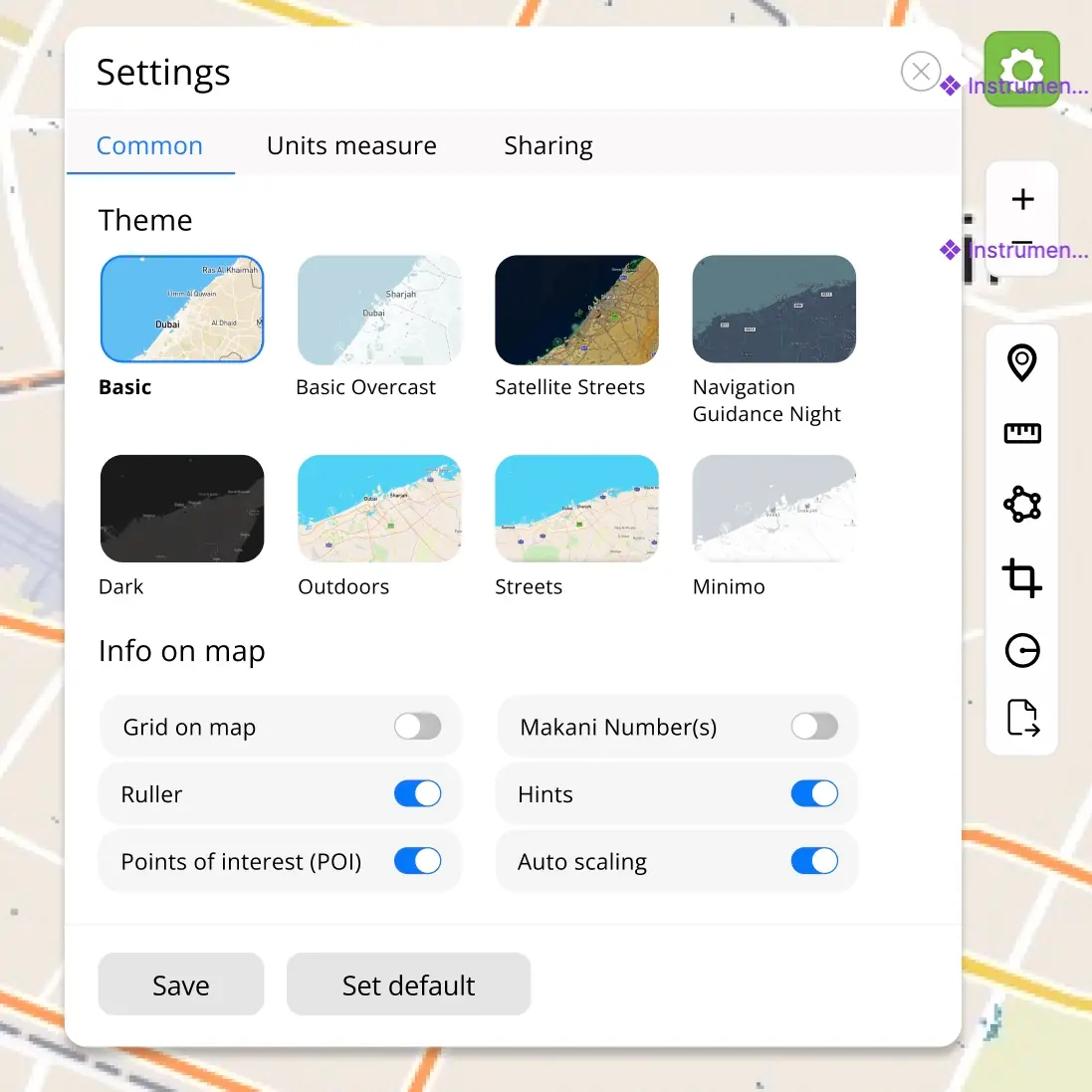 Common settings of GeoAnalytics
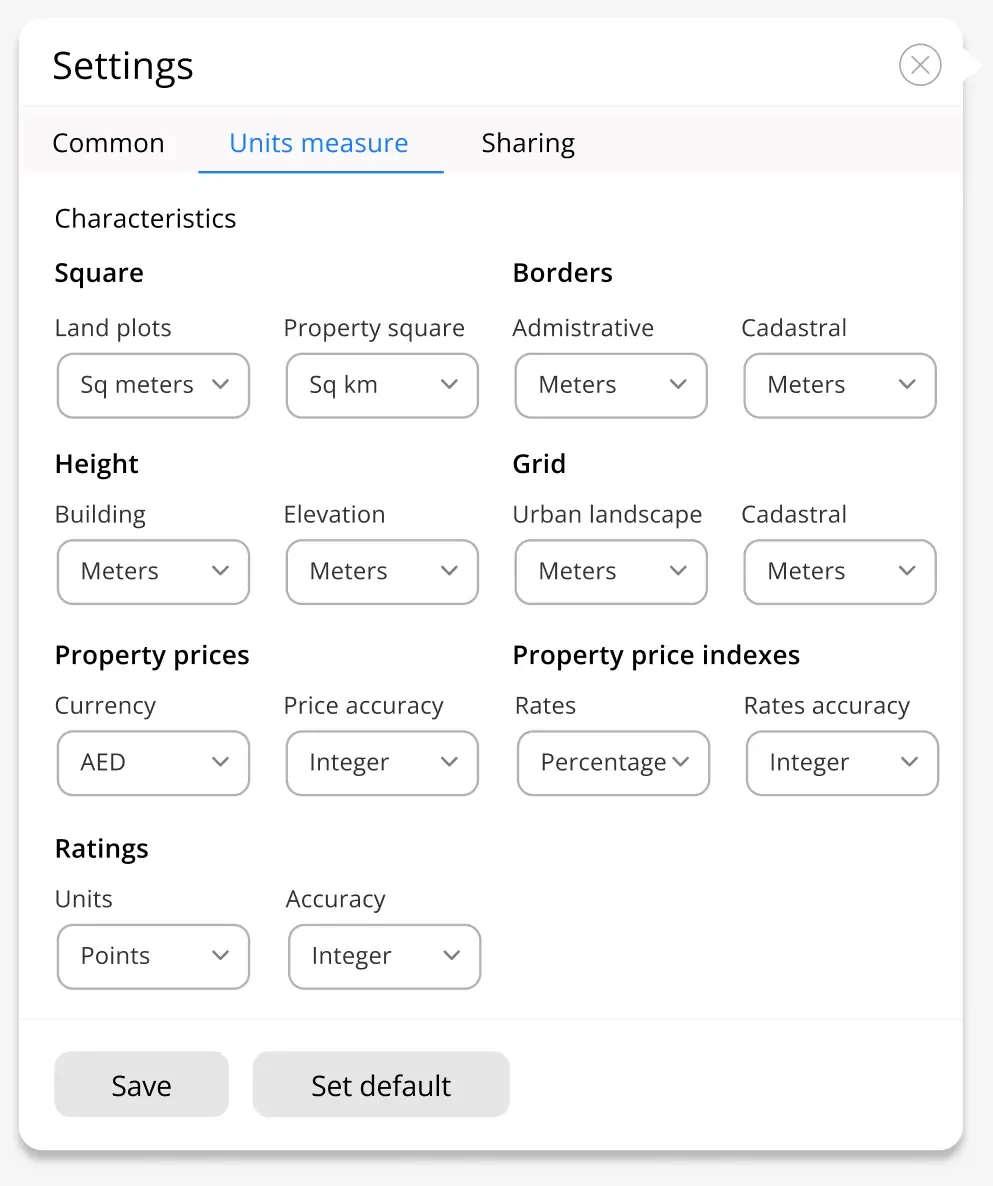 Units measure at Settings of UI GeoAnalytics
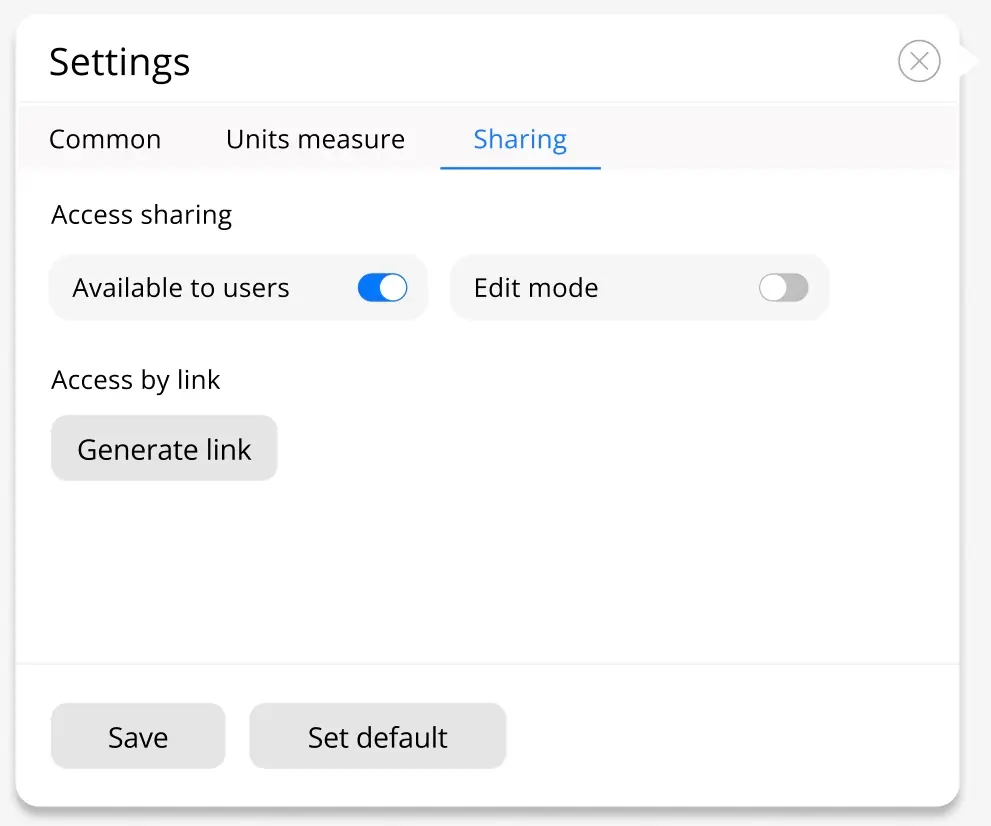 Sharing URL to GeoAnalytics
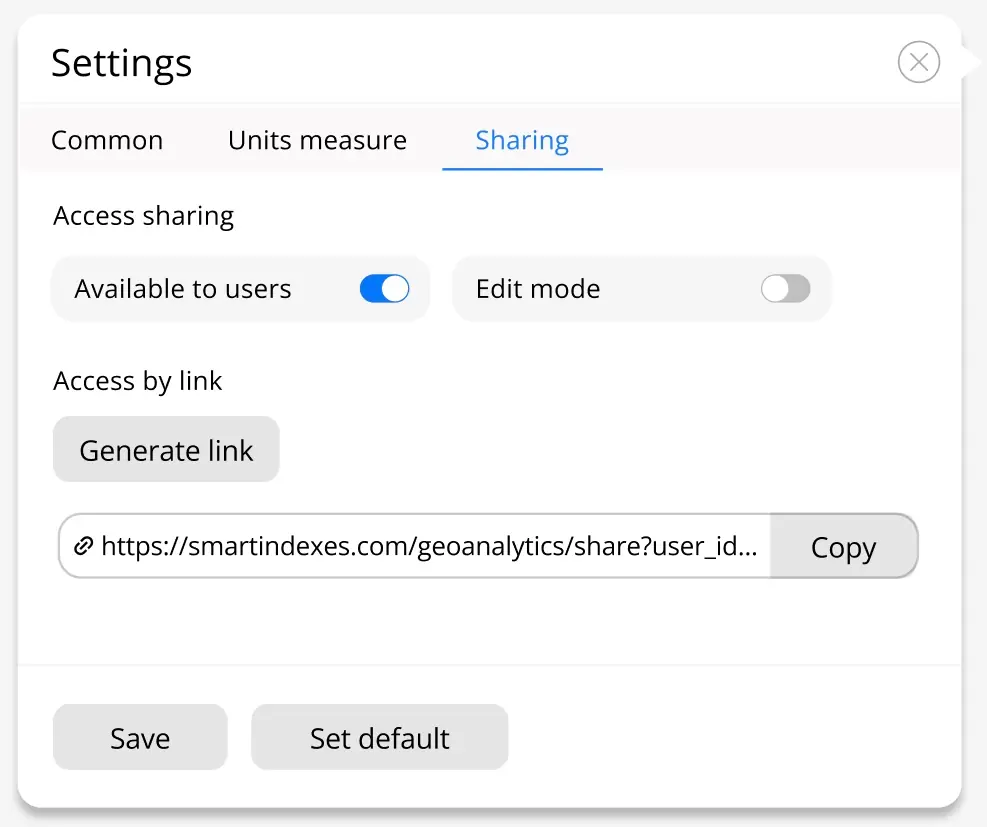 Generating link to share and team work at GeoAnalytics