A-B-C Comparison of Developers
Published on
Overview
Users can compare up to five developers in real time using any available metrics.
From the developer listing, click Add to Compare on each company.
GeoAnalytics will display A-B-C Comparison of Developers:
- A metrics table comparing key indicators side-by-side
- A histogram of project portfolios
- A rating chart based on project status
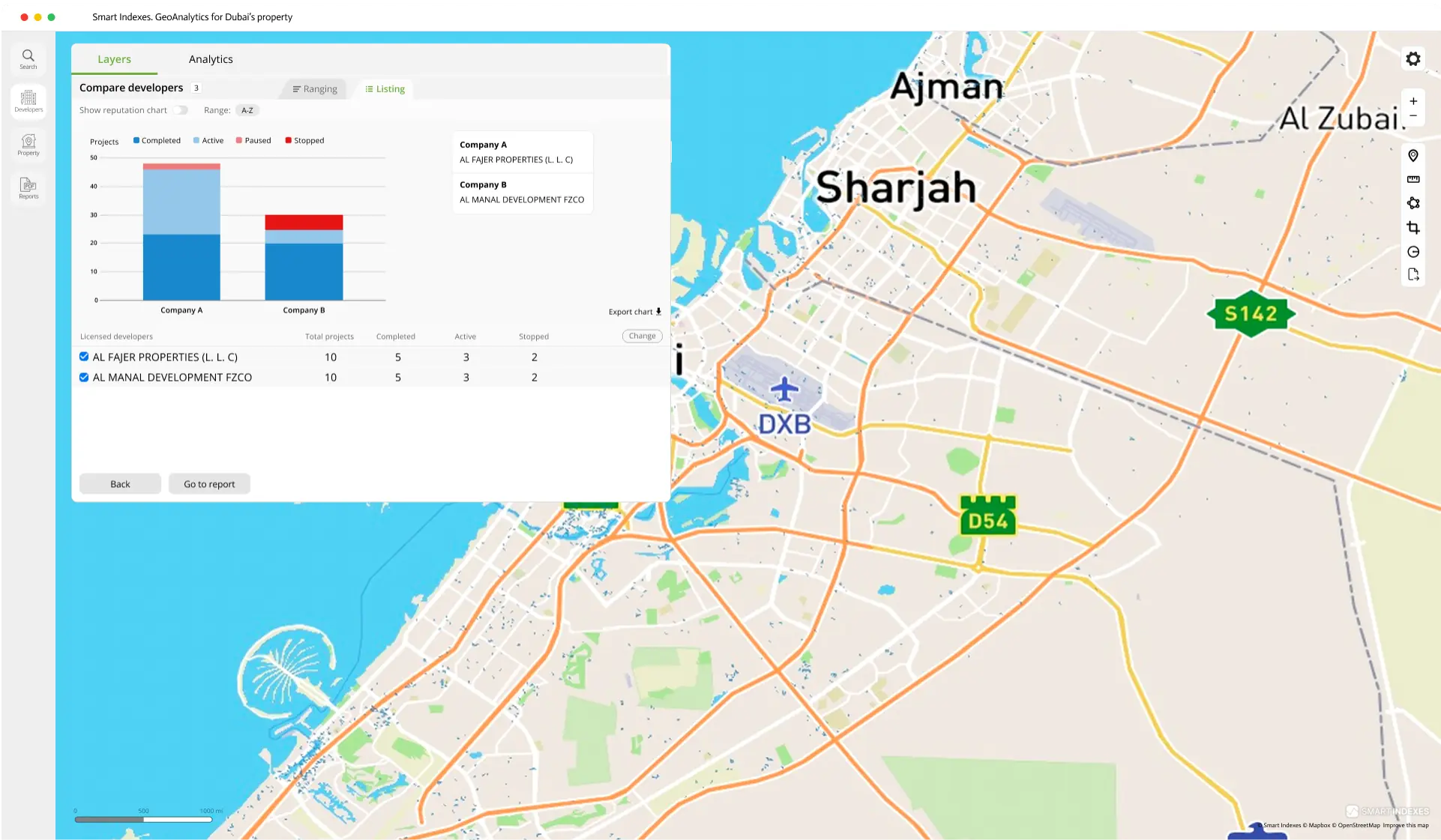 UI fragment of A-B comparison showing two developers
The Export chart function is available on each chart for easy download and daily reporting.
To adjust which metrics appear in the A-B-C comparison, click Change metrics. A panel opens where you can select up to four metrics at once.
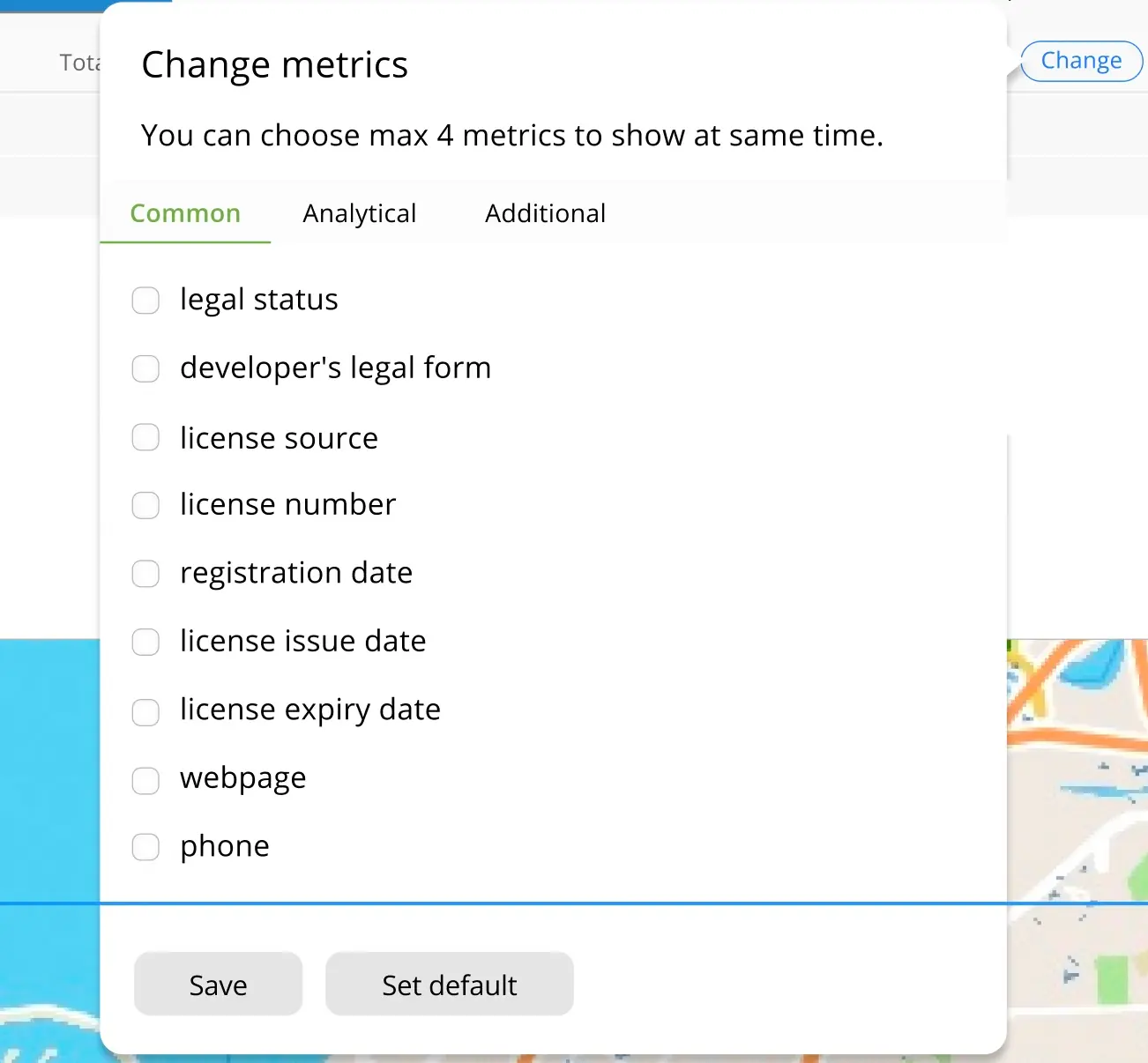 Fragment «Change metrics to compare»
To view reputation-based rankings, toggle the Show Reputation Chart switch in the top panel.
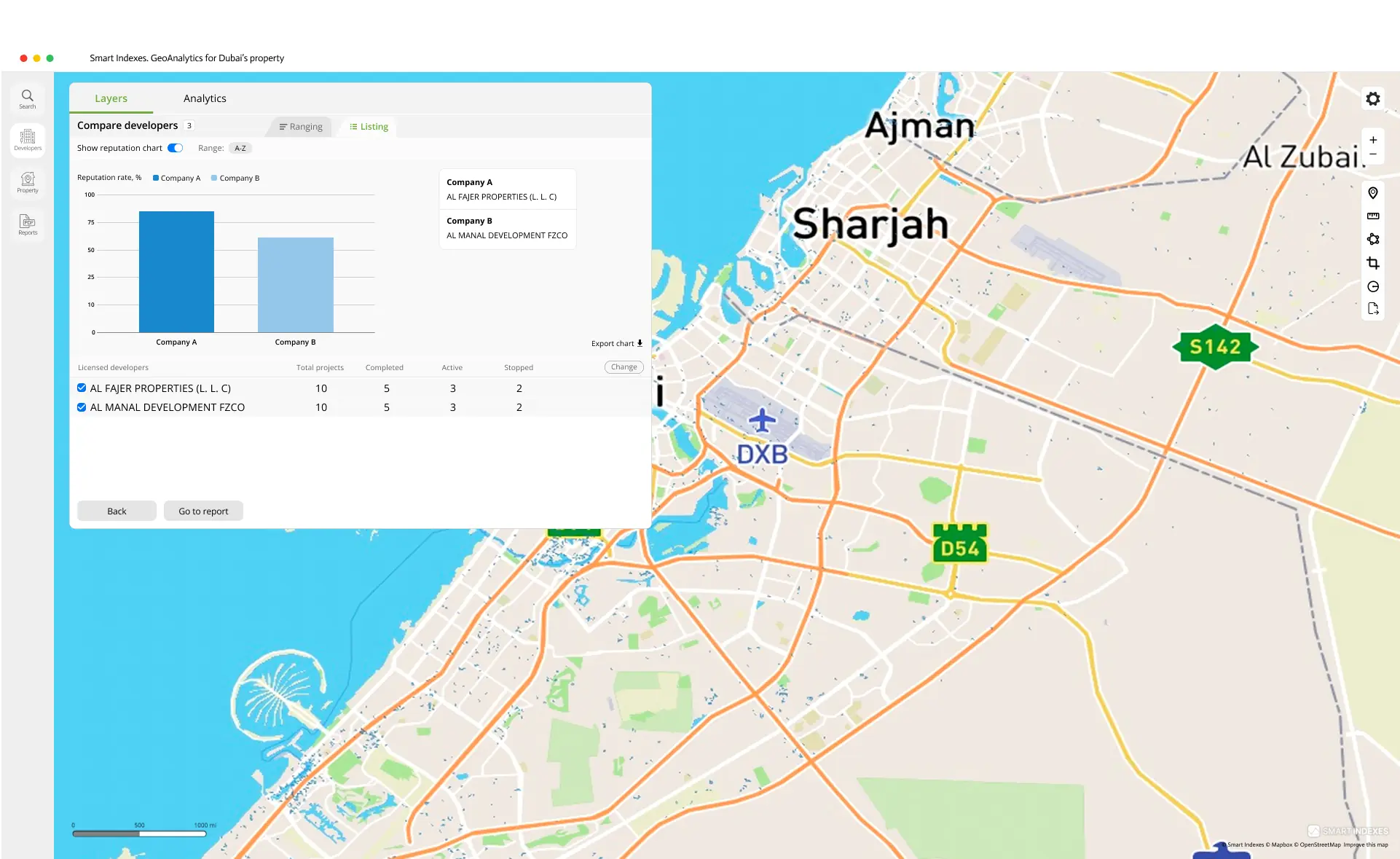 Switch on Show reputation chart in case of A-B comparison to choose developer
To see detailed metrics, click a developer’s name in the listing.
Next in Developer Card available:
- Summary of developer projects by its statuses in radial chart
- Brief registration data from DLD
- Office contacts
- Tabs: Off-Plan and Existing available too see on map.
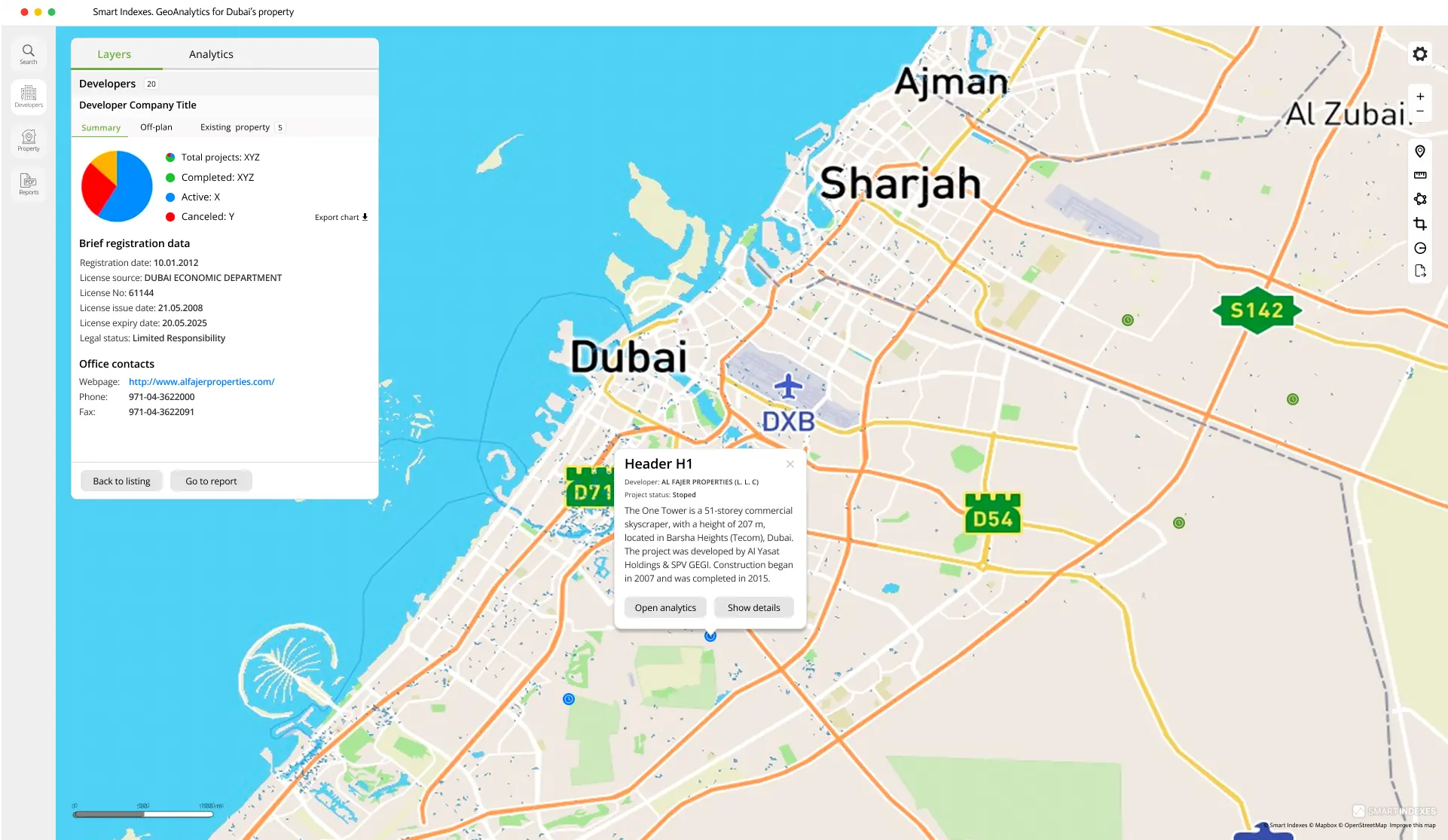 Developer card: summary of business details
Analytical Summary
An Analytical Summary of the developer market in Dubai is available segmented by legal form, building class, and escrow agents for deeper market insights.
- Legal forms includes Ratio of developer's legal forms, quantity of developers by legal forms.
- Segments of developers includes building classes, segments of infrastructure too.
- Associated escrow agents
Analytics tab presents layered data visualizations and interactive summaries.
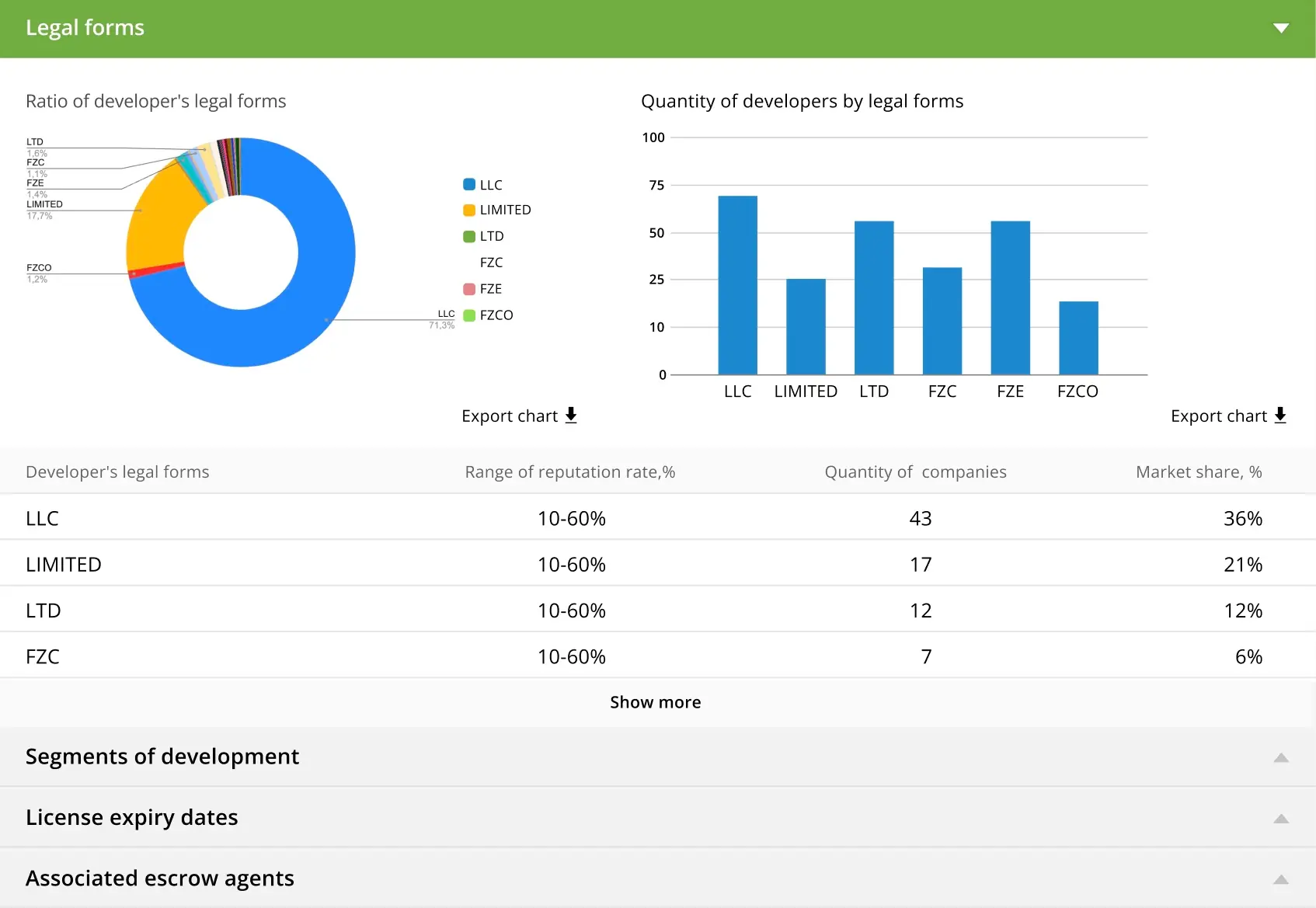 Analytics tab for the Developers section