Settings for Report Manager
Published on
Overview
The Settings panel in Report Manager allows users to customize the layout, export parameters, and appearance of PDF reports generated in GeoAnalytics.
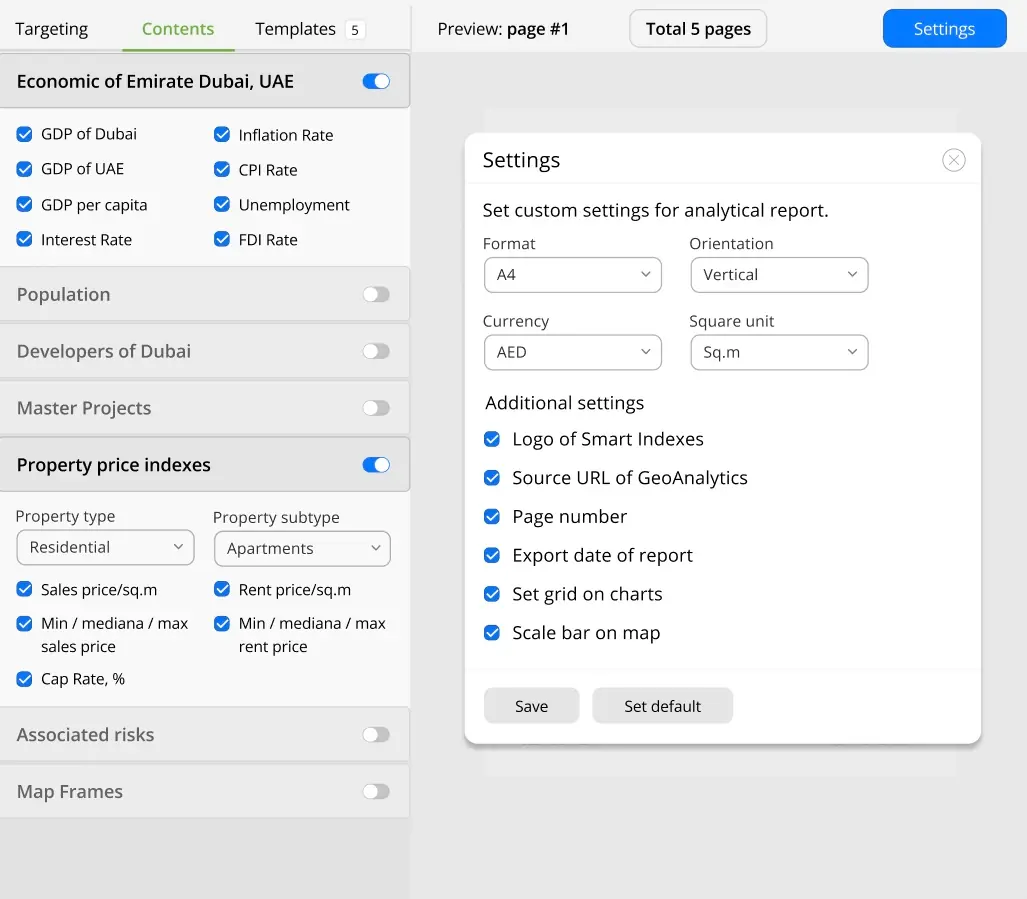 Settings for Report Manager
Required Settings
- Paper Format: A4 / A3
- Orientation: Portrait / Landscape
- Currency: AED / USD
- Area Units: Sq.m
Optional Display Options (checkbox toggles)
- Show Smart Indexes logo
- Show Source URL (GeoAnalytics)
- Display Page Numbers
- Display Report Export Date
- Enable Grid on Charts
- Show Scale Bar on the map
Functions
-
Save Settings
Applies current configuration to the active report template with the defined targeting and contents.
-
Set Default
Resets all report settings to the default configuration for the template.
These options give corporate users full control over the presentation and structure of reports, ensuring consistency and brand alignment for stakeholders and partners.